A menu worth browsing.
Give every dish room to shine, with large photos, readable prices and a layout made for a phone in one hand.
Explore in the demo Try the menu ↗
FOR RESTAURANTS WITH FOOD WORTH SHOWING
A beautiful QR menu that lets guests explore what’s on the plate. Bring signature dishes to life with interactive food animations.
No app to download. No account to try the demo.
Illustrative food demo · AI-prepared visuals
A REAL MENU. READY TO EXPLORE.
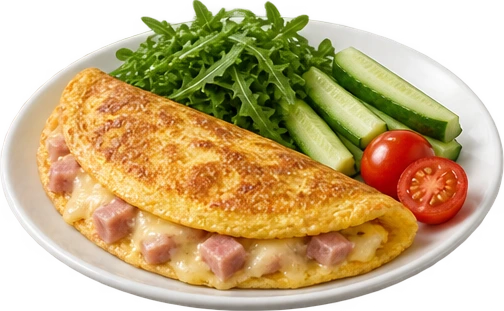
Open a dish. Watch its components lift from the plate. Explore the details, then keep browsing.
The Lisi Intelligentsia breakfast showcase brings eight dishes into one complete guest experience.
Open the breakfast menu ↗Working showcase · Georgian and English
AI-prepared artwork based on the restaurant’s menu
Try the real menu right here.
MORE THAN A PHOTO AND A PRICE
Start with a polished menu. Add another dimension where it helps guests understand the dish.
Give every dish room to shine, with large photos, readable prices and a layout made for a phone in one hand.
Explore in the demoShow bread, fillings and sides as distinct components. Keep soups and other blended dishes beautifully whole.
Explore in the demoUse AI to draft descriptions and suggest ingredient details. Your team reviews and edits everything before guests see it.
Owner tools · in developmentA SIMPLE WAY TO GET STARTED
The planned setup puts your team in control, from the first photo to the final QR code.
Add your dishes, prices and photos. Importing an existing menu is also planned.
Review the suggested text. Choose which dishes to animate and approve their visuals.
Publish your menu and keep prices and availability up to date as things change.
The guest demo is live. Restaurant onboarding, editing and publishing tools are in development.
IMAGINED CAFÉ VOICES
What a more visual menu could mean for a café, told through three fictional owners.
“People ask what’s inside our pistachio bun every day. Seeing the layers before ordering would make that conversation easier.”
“A menu should feel as inviting on a phone as it does at the table. I’d want our weekend specials to look this clear.”
“The little details matter: the orange peel, the rosemary, the ice. I can imagine guests exploring our drinks before they order.”
Illustrative quotes from fictional people and cafés. These are not customer reviews.
SIMPLE PRICING
Planned pricingPer restaurant location. Choose the experience that fits your menu.
Planned prices; applicable taxes and final terms confirmed before signup. Restaurant signup is not open yet.
BEFORE YOU GET STARTED
The guest menu and animations are ready to explore. Restaurant signup and management tools are still in development. The prices above are our planned launch prices.
No. Start with a few signature dishes that have distinct components. Every other item can use a whole-dish photo and description in the same menu.
Image setup is a one-time cost, separate from the animation subscription, estimated at approximately $1 USD per dish. Your whole-meal and component images are created at cost with no markup. You approve the total before we begin. New images are charged only when you request them; views and animation replays are included in your subscription.
No. There is no per-view or animation-replay charge. The visuals are created once and reused.
Yes. The planned owner tools let you review and edit suggested text before publishing. Ingredient and allergen information must be confirmed by your restaurant; an image cannot establish a recipe.
Gemo focuses on exploring your menu. Ordering and payments stay with your staff and existing systems. Guests do not need to install an app.
SEE IT FROM YOUR GUESTS’ SIDE
Explore the breakfast showcase. Imagine your menu here.
Try Gemo for yourself ↗No signup needed for the demo.